Home screen
Everything you open, nothing you didn't ask for.
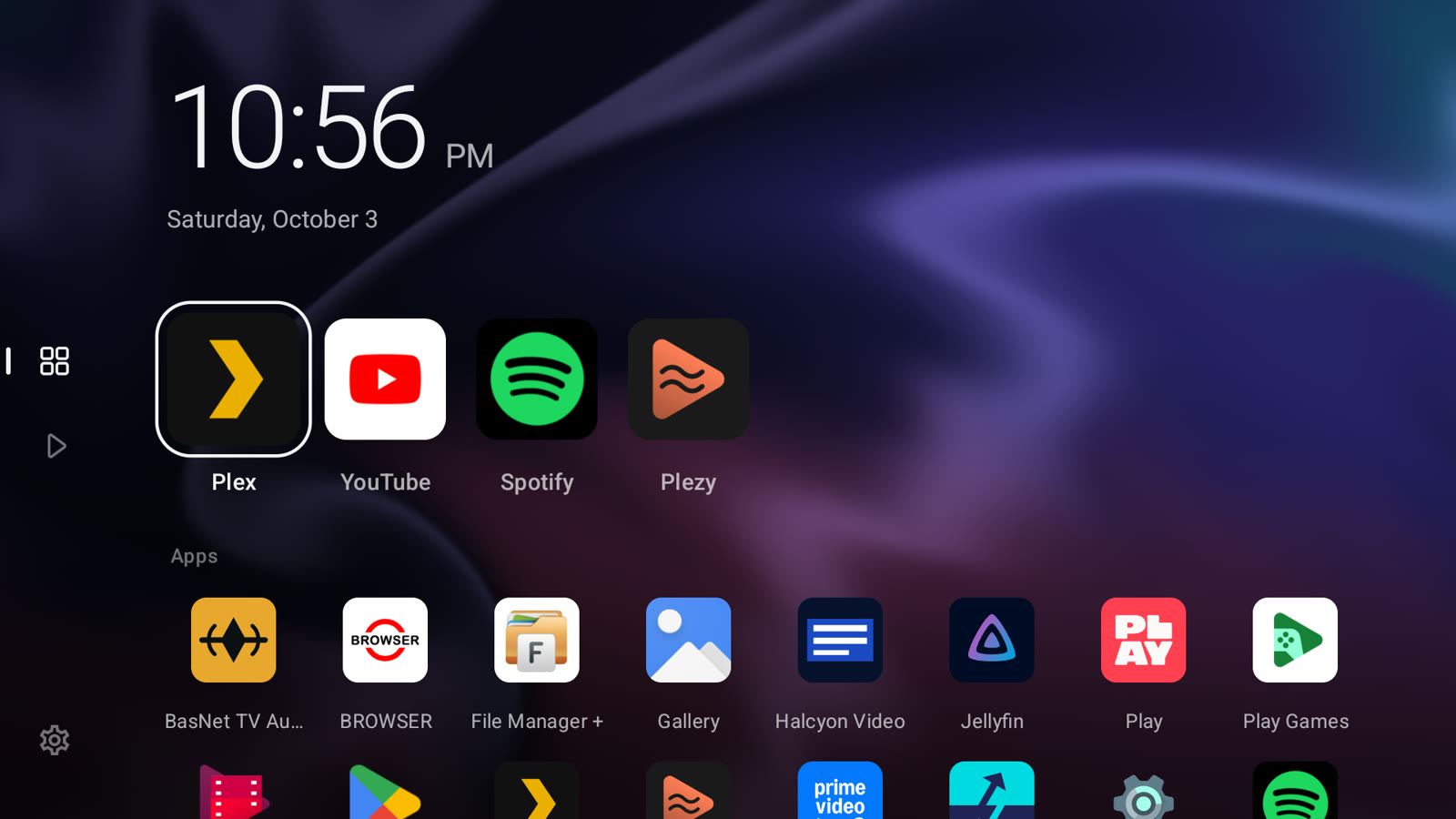
Clock and favourites
A large clock and up to eight favourite apps, reordered from a long press.
Every app, once
A complete alphabetical grid with one tile per app, whether it was made for TV or not.
Live backgrounds
Aurora, Silk, Nebula and Contour drift slowly behind your apps, or pick a 4K photo instead.
Media
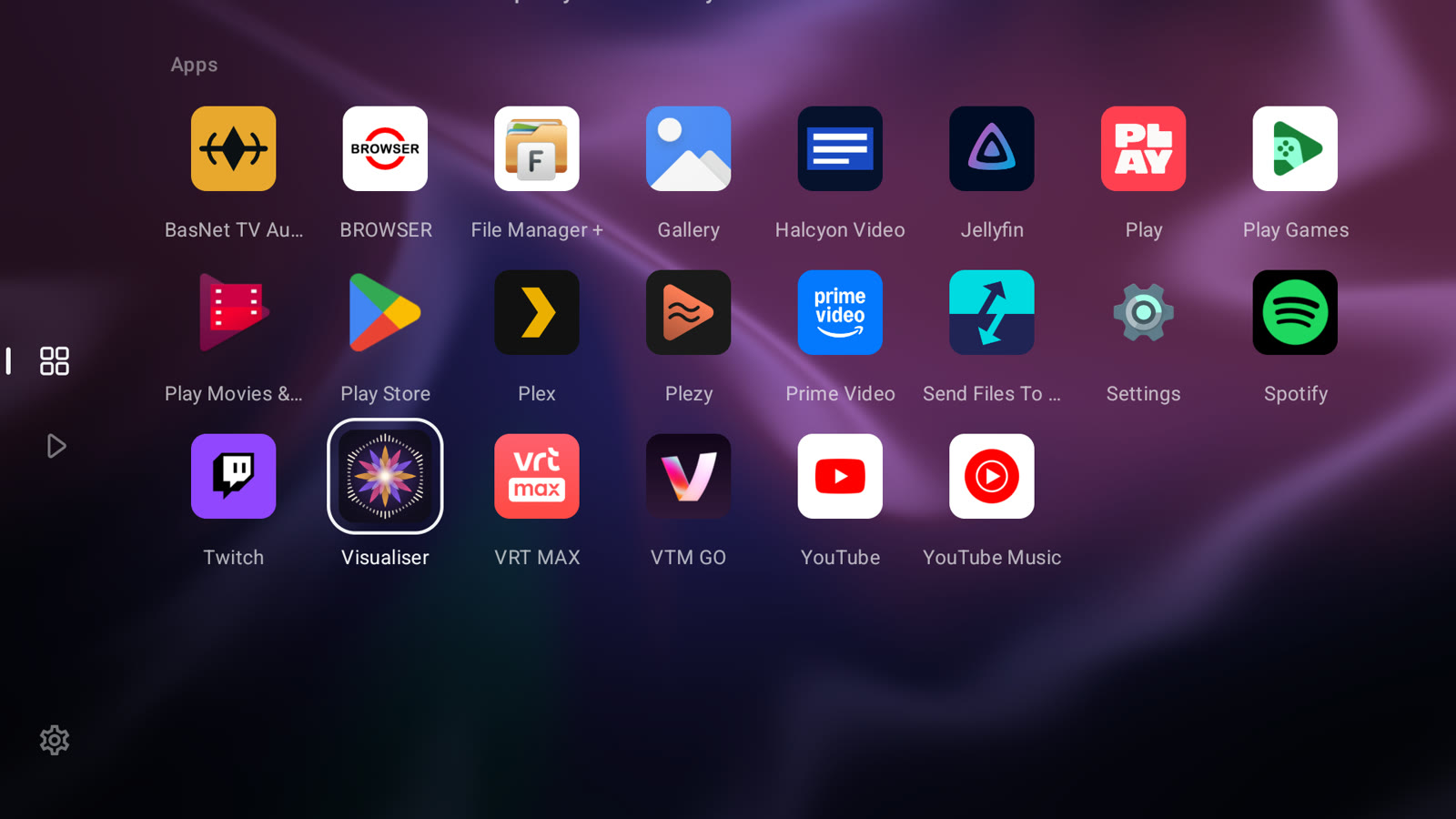
Pick up where you left off.
One page gathers what you were watching and listening to. The focused title's artwork fills the screen, with episode and time left beneath it.
- Sign in to Plex and Spotify by scanning a QR code with your phone.
- Opens straight into the episode, film or playlist.
- Without media access it stays a complete apps-only launcher.
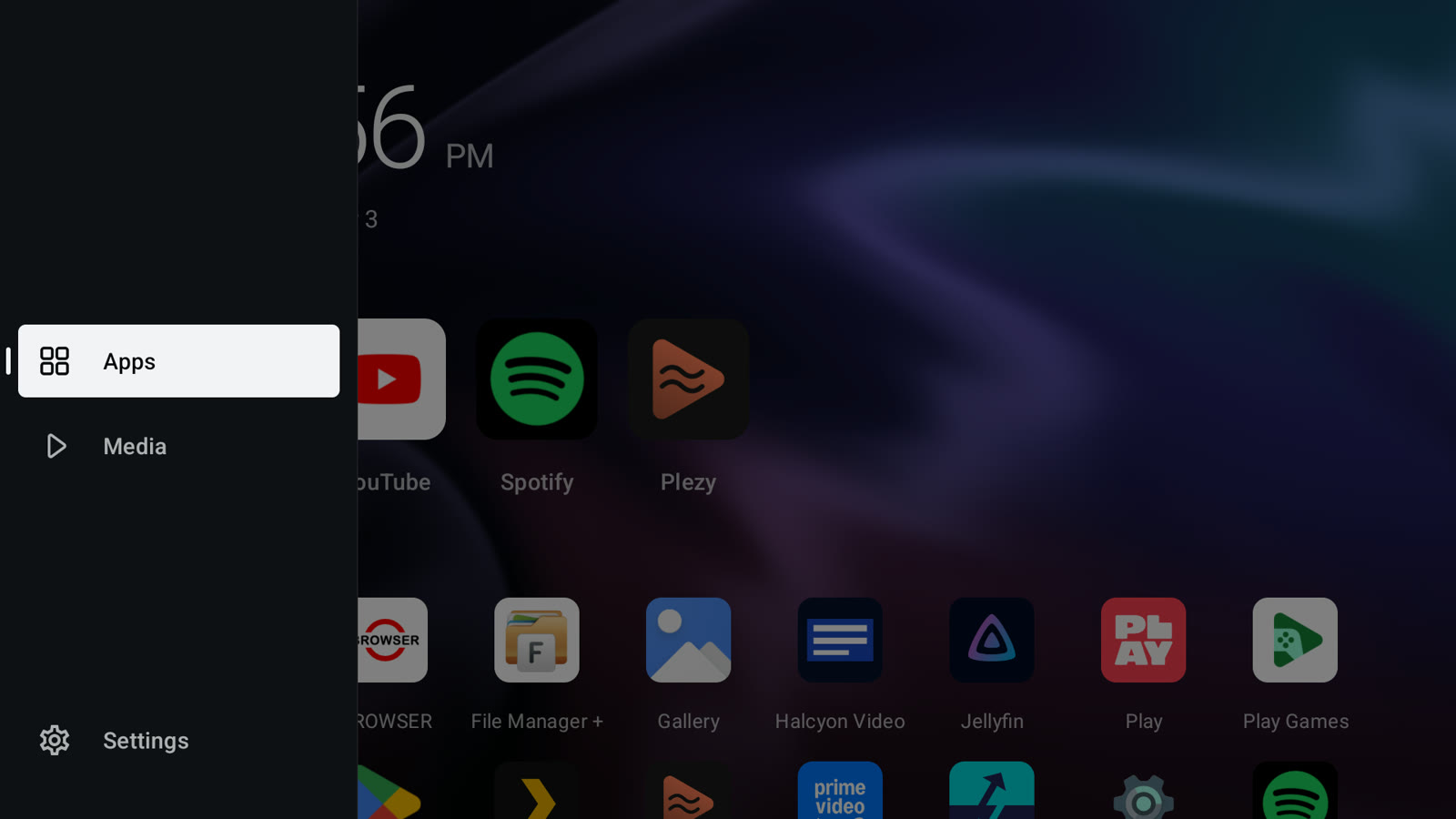
Built for the remote
A rail that stays out of the way.
A slim rail opens into a labelled panel when you move onto it. Home scrolls between two resting positions, so the screen never sits half-scrolled.
- D-pad first: focus is always visible and lands where you expect.
- Pressing Home while you're on Home takes you back to the top.
- Reduced motion turns every transition into a cut.
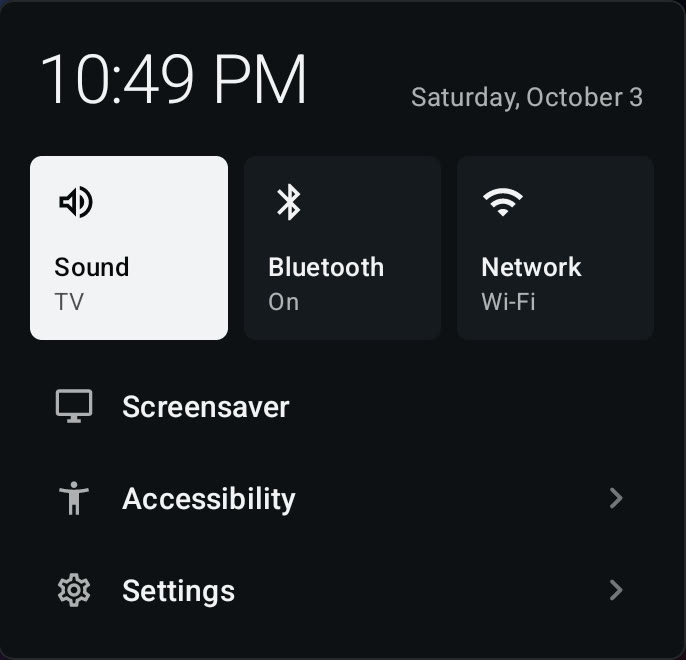
Quick panel
Hold Home for the essentials.
With the remote shortcut on, a short press of Home opens Quiet Home from any app, and a long press opens a small panel above whatever is playing.
- Sound output, Bluetooth and network at a glance.
- Screensaver, accessibility and Android settings one step away.
- Back or another long press closes it.
What it leaves out
Quiet by design.
Install
Make it your home.
- Install the APKDownload it on the TV, send it with Send Files to TV, or install over adb.
adb install -r quiet-home.apk
- Set it as HomeThe helper script in the source selects Quiet Home and pauses Google TV Home. The restore script undoes it.
./scripts/use-quiet-home.sh <device>
./scripts/restore-google-home.sh <device>
- Turn on the remote shortcutIn Quiet Home, Settings › Home button › Quiet Home remote shortcut makes Home and long Home work from any app.
Quiet Home 0.7.0
Free, no account needed, no ads.
Download APK- Works on
- Android TV 8 or newer
- Made for
- Google TV Streamer (4K)
- Live backgrounds
- Android 13 or newer